
Racing Systems
BRC-02
Racing Dashboard
Sim racing dashboard and LED system, driven live by the simulator.
Contact us about configuration and availability. Pricing, package contents and delivery are confirmed individually.
Purpose
Built for your setup.
Sim racers who want a physical dash and shift lights in front of the wheel rather than on the monitor. It sits on a desk or a rig and connects to the PC running the simulator.
BRC-02 is a colour dashboard with RPM and shift lighting, session flags and lap timing for sim racing. It takes live telemetry from the simulator over USB through SimHub, so what it shows is what the car is doing.
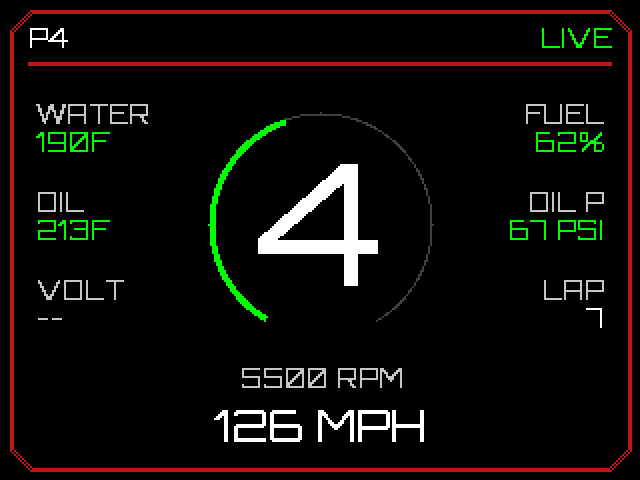
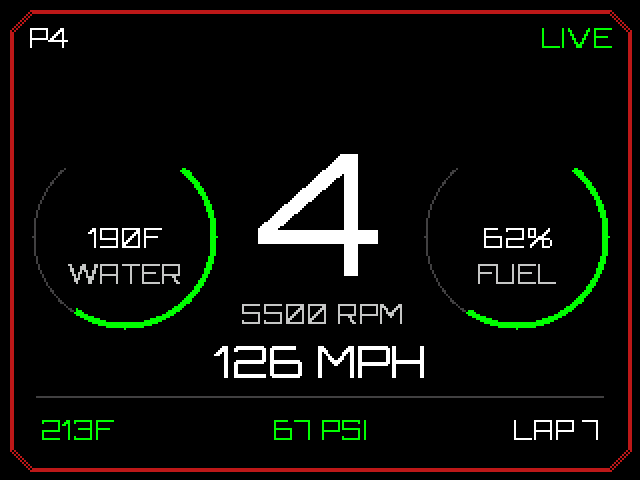
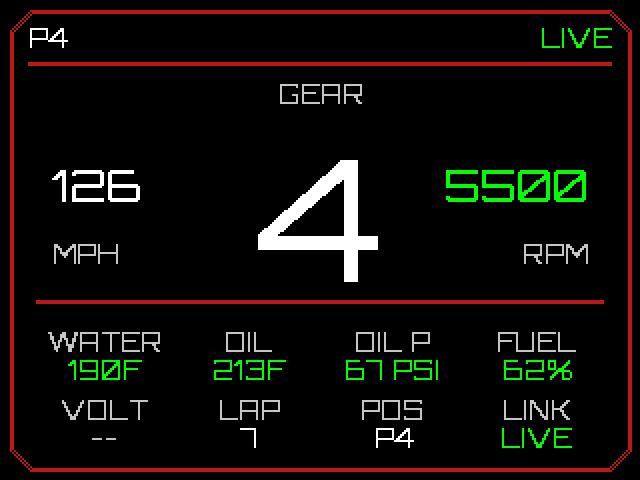
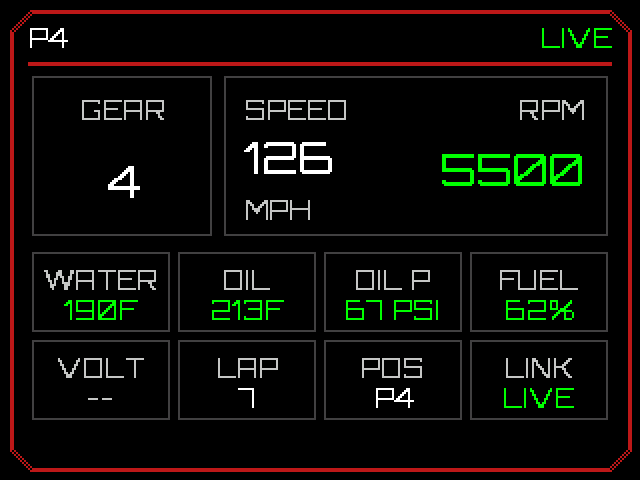
- 320×240 colour display with ten selectable layouts, chosen live from the desktop app
- RPM bars and shift lighting on three LED bars, with a per-LED trigger ladder set as a percentage of each car's rev limit
- Session flags on two 5×5 LED matrices, with spotter calls lighting the side a car is on
- Current and best lap on two six-digit displays
- Standby screen when no telemetry is arriving, and a dark mode after five minutes idle
- Windows configurator for LED colours, the RPM ladder and layout choice, applied live
A closer look
Choose your view.
Four of the ten available dashboard layouts. Firmware-generated display renders with demonstration data; these show the interface, not the enclosure.
Before you choose
Compatibility & details.
- A Windows PC running SimHub, connected by USB; mounting and package contents confirmed per build
- iRacing: session flags, spotter and lap timing; validated on track
- Assetto Corsa Competizione: flags translated in the SimHub formula
- Other simulators: compatibility depends on the telemetry exposed through SimHub; confirm your intended game before ordering
iRacing is the on-track validated setup. Other simulators depend on the telemetry and flags exposed through SimHub. Ask about mounting and your required configuration.
| Feature | Details |
|---|---|
| Display | 320 × 240 colour LCD, ten layouts |
| RPM / shift lighting | 3 addressable LED bars |
| Flag matrices | 2 × 5×5 addressable LED panels |
| Lap timing | 2 × 6-digit LED displays (current and best) |
| Connection | USB to the PC running SimHub |
| Power | 5 V, 3 A external supply |
| Controller | ESP32-S3 |
Getting started.
- Connect the 5 V supply, then the USB cable to the PC.
- In SimHub, add a serial device on the dashboard's COM port using the supplied formula.
- Open the BORGAS configurator to choose a layout and set LED colours.
- Start the simulator. The dash leaves its standby screen when telemetry arrives.
Next step
Make it fit your setup.
Ask about BRC-02, configuration or product support.